

Why Is LinkedIn Important to Progression and How to Use It: A Guide for Career Changes
LinkedIn is no longer just a platform for job hunting. In this guide, I explain how you can use it to support career progression by helping you stay visible, show your skills and learning, and build the right professional connections over time.
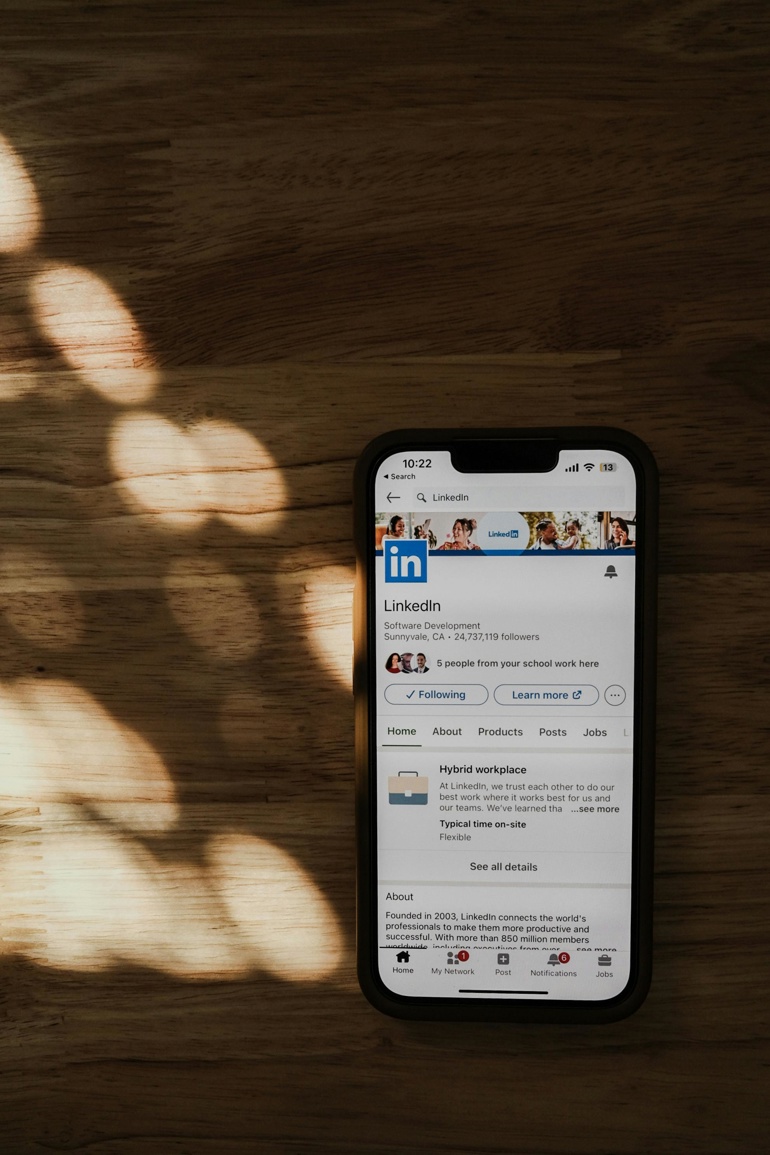
I speak to a lot of people who think LinkedIn is only useful when you’re actively job hunting. I don’t see it that way, and neither do most employers. In my masteclasses, I always emphasis that LinkedIn has become part of how people build credibility, stay visible, and show where their career is heading over time.
That matters whether you’re aiming for a promotion, trying to move into a new field, or simply keeping your options open. It also gives you somewhere to show your growth through experience, training, and continued professional development.
In this guide, I’ll walk you through why LinkedIn matters, how to use it well, and what actually helps it support career progression.
Written by
With over 3 years working at Learning People supporting students in their career search, Flo is here to offer one-to-one personal guidance, which proactively supports you as you venture towards your new or expanded career.

What's on this page?
Jump to:
How LinkedIn Helps You Move Forward in Your Career
I think of LinkedIn as the place where your career story becomes easier to see. A good profile does more than list past jobs. It shows what you’re skilled at, what you’re interested in, and where you seem to be heading.
Used well, LinkedIn can help you:
-
Build a credible professional presence
-
Reconnect with former colleagues, managers, and other useful contacts
-
Follow employers, sectors, and conversations linked to your target role
-
Learn from people already working in the job you want
-
Spot vacancies, events, projects, and training opportunities
-
Show evidence of learning through posts, certificates, and personal projects
-
Show that you’re active and engaged in your field
-
Create opportunities before you urgently need them
We often remind people that LinkedIn is not only for senior professionals. It can be just as useful if you are starting out, changing direction, or trying to move into a new area. And if you are exploring different career paths, it can help you see what those routes look like in the real world.
Fact: 81% off ANZ Talent Leaders Are Concerned About Skills Agility
A 2026 Report found that 81% of talent leaders in Australia and New Zealand are concerned about skills agility, meaning whether their organisations have the right skills at the right time for the right work.
For professionals trying to progress, that matters because LinkedIn gives you a practical place to show your current skills, recent learning, and the direction your career is moving in.
How to Fix Your LinkedIn Profile for Career Progression
You do not need to post every day, share big career lessons, or turn yourself into a personal brand. In my experience, LinkedIn works best when it feels like a steady, professional habit rather than a performance. The aim is simple: make it easy for the right people to understand who you are, what you do, and where you’re heading.
Here are three steps I’d start with.
Step 1: Make the top of your profile clear and credible
Start with the parts people notice first. These shape first impressions, and help people decide whether to keep reading the rest of your profile in a matter of seconds.
Focus on these areas:
-
Use a clear, professional photo.
You do not need a studio headshot. A clear, friendly photo with decent lighting is enough. -
Write a headline with direction.
Your headline should do more than repeat your current job title. It should tell people what you do, what space you work in, or what kind of role you’re building towards. - Keep your about section clear and easy to read.
I would write this as if you were introducing yourself to a useful new contact. Explain in simple language your background, strengths, interests, and what sort of opportunity you’re aiming for next.

Step 2: Rewrite your experience so it shows outcomes
This is where many LinkedIn profiles fall flat. I often see experience sections that only list duties, and that makes it hard for anyone to understand what the person was actually good at. Try not to just describe responsibilities. Show what you improved, delivered, supported, or learned.
For example, a responsibilities-led description might look like this:
-
Managed customer enquiries
-
Updated internal systems
-
Supported the team with admin tasks
-
Handled scheduling
There is nothing wrong with any of that, but it reads quite passively. It does not tell me what changed because of your work, or what strengths you bring.
A stronger, outcomes-led version could say:
-
Handled customer enquiries across phone and email, helping maintain strong satisfaction levels during busy periods
-
Kept internal records and booking systems accurate, which helped the team work more efficiently
-
Supported day-to-day admin across scheduling, reporting, and coordination for a fast-moving team
-
Built confidence using internal systems and improved speed and accuracy over time
That second version still describes the role honestly, but it gives a much better sense of your contribution. It shows impact, reliability, and growth.
A simple formula I often recommend is:
Responsibility + How you did it + What it helped achieve
Step 3: Add skills, certifications, and relevant learning
If you are taking a more deliberate approach to your career progression and development, your profile should not only show what roles you have done but also proof of the skills you’re building.
That is why I’d make sure you include:
-
Relevant skills (ideally backed up by endorsements from past colleagues)
-
Completed courses
-
Personal projects
-
Recent learning linked to your target
This is especially useful if you are aiming for promotion, moving into a new specialism or considering how to change career. It gives employers and recruiters something concrete to look at, and it shows that your development is active rather than theoretical.
Fact: LinkedIn Reached 84.7% of Australian Adults Aged 18+ in Late 2025
DataReportal, using LinkedIn’s own advertising data, reported that LinkedIn ads reached 84.7% of Australia’s population aged 18 and above in late 2025.
This shows LinkedIn is one of the main places where your professional profile can be seen by employers, recruiters, and wider industry contacts.
How to Use LinkedIn if You’re Changing Career or Repositioning Yourself
If you’re moving in a new direction, LinkedIn can help you start spending time in the right conversations before you make the move. I’d begin by following people, companies, and industry bodies in the field you want to enter. That gives you a better feel for how people talk, what employers care about, and which topics come up again and again.
It also helps to engage with content that matches your new direction. A thoughtful comment, a relevant share, or a question under the right post can start building familiarity over time.
It also supports your wider professional networking, because it gives people more reasons to understand your strengths, remember your direction, and think of you when opportunities come up.
Final Thoughts: Use LinkedIn as a Career Tool
I see LinkedIn as a tool for making your professional story easier to understand. That is why it can support progression so well. You do not need to post every day or try to be the loudest person on the platform. In most cases, small and steady action works better.
If you take your career development seriously, LinkedIn is worth treating as part of that process. And if you want help getting a clearer picture on your next steps, you can book a free consultation with one of our career experts. Every student that enrols with us gets access to expert guidance from the Career Services team, including masterclasses on how to best utilise LinkedIn for your own career development and progression.
Why Is LinkedIn Important to Progression and How to Use It FAQs
Related Articles
 Career Progression
How to Manage Your Career Development, Progression, and Growth: A Guide
Learn how to take control of your career development, progression, and long-term professional growth with practical steps, planning tips, and expert guidance.
Read More Career Progression
Why Is LinkedIn Important to Progression and How to Use It: A Guide for Career Changes
LinkedIn is no longer just a platform for job hunting. In this guide, I explain how you can use it to support career progression by helping you stay visible, show your skills and learning, and build the right professional connections over time.
Read More Career Progression
How to Prepare for a Job Interview (Including for a Career Change)
Learn how to prepare for a job interview, including online and career-change interviews, with practical advice from an experienced career advisor.
Read More Career Progression
How to Negotiate Salary
Learn how to negotiate your salary with confidence. Get clear steps, example wording, and expert advice to secure a better pay rise or job offer.
Read More